Blog

  • AI Video Generator Review: My Hands-On Experience Testing the Latest Tools

    AI Video Generator Review: My Hands-On Experience Testing the Latest Tools

    AI Video Generator Review, I will be honest with you, when I first heard of AI video generators, I did not believe. The notion that this software would allow one to produce professional-looking videos on just mere written text sounded like a miracle. However, having spent the major part of three months trying out different platforms, I have not only acquired a lot of unexpected information, but also some harsh realities about what these tools are and are not capable of.

    The Testing Ground

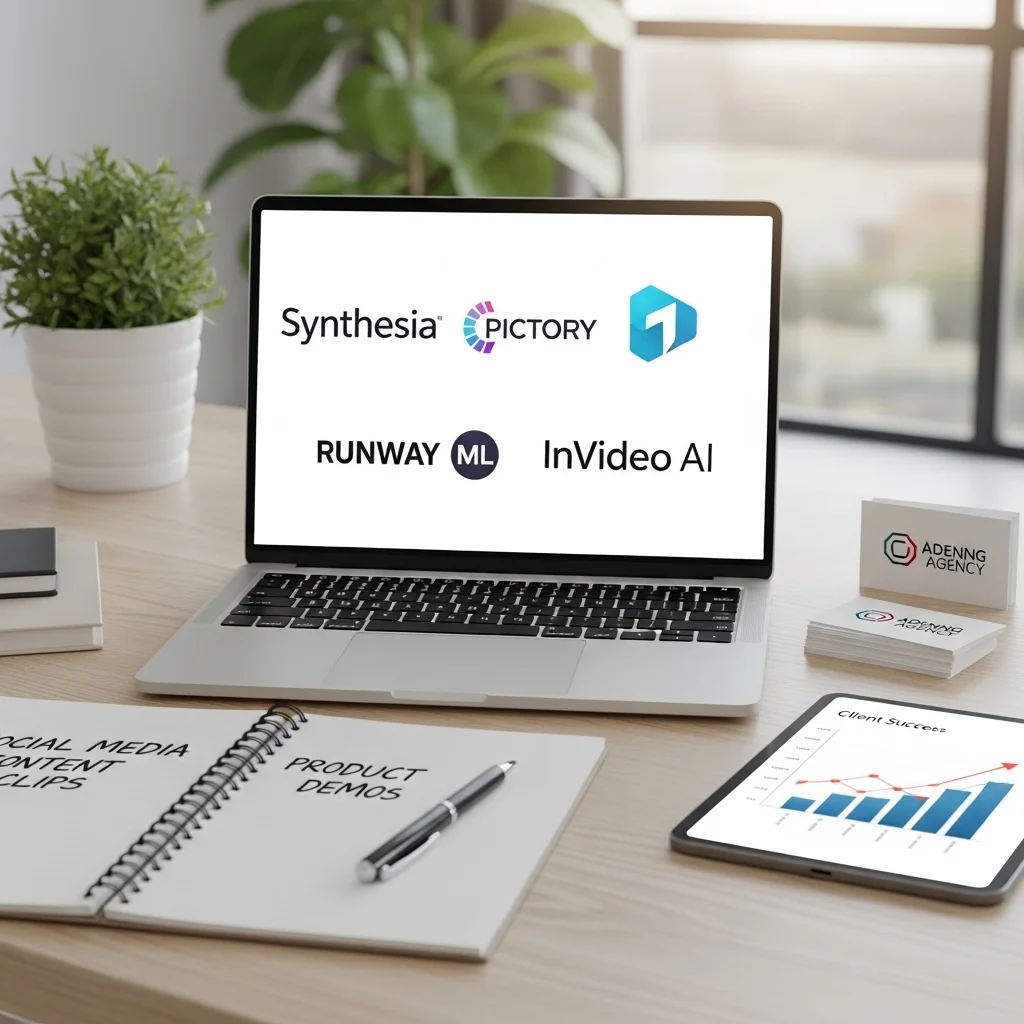
    I did not simply walk and talk around with free trials. I purchased plans on four major services, namely Synthesia, Pictory, Runway ML, and InVideo AI. I aimed at determining whether these tools would substitute or at least supplement the conventional video production to my content marketing clients. I designed all social media content clips and product demos.

    What Actually Works

    The conversion of text into a video has become extremely easy. Using Pictory, I posted a 1,500-word blog post on sustainable packaging and within an hour or so I had a three-minute video with all the necessary stock footage, transitions, and background music. Was it perfect? No. Nevertheless, it was a good first draft that my video editor would have had to work on manually a few hours.

    The avatars of the presenters in Synthesia have cut through a significant boundary. They are not exactly human, and, when you take a closer look, you will find the characteristic signs – some stiff movements, some hitching with the lips. However, they can be completely serviced in the case of corporate training videos or quick explainers. My product walkthrough to a SaaS client was done with the help of an avatar, and the feedback was affirmed. People could realize that it was not a real person but did not bother about it because the information was clear and well-presented.

    The true game changer is speed. A production day previously spent in scripting, filming and editing, now takes an hour or two. In the case with businesses that generate regular content, this efficiency increase is quite significant. I have assisted a real estate agency to shoot property tour videos, which in the past, I needed to schedule a videographer.

    The Restrictions You Should be Aware Of.

    Creative control is still restricted. The tools are used in templates and preset styles. Around the same time I attempted to develop something in the aesthetic of a particular brand with one of the local coffee roasters, I was pushed against the wall within no time. The sites have customization, yet you are basically choosing their menu and not making your own food.

    Nuance gets lost. I tried to shoot a video with nominal pivots of emotions, i.e., beginning with the positive one, going on to a serious one, then positive. The finding produced by the AI was one-dimensional. Human editors have an intuitive feeling of how many seconds a shot can and should be held or how much to cut to create impact. These are logical tools which lack the creative decisions which are intuitive.

    The quality discrepancies appear out of the blue. Runway ML has given the gorgeous output to abstract b-roll footage, but when I was required to capture certain scenes, such as a realistic office meeting, the created clips were usually surreal or unusable. Stock footage addition assists, but then you are left to chance to locate the appropriate clips in their libraries.

    The learning curve is not as smooth as it is being promoted. Yes its interfaces are easy to use but to get quality results one must know how to prompt, how to tweak timing and how each platform works. I took hours to learn that Synthesia is more effective in company content whereas InVideo AI works best on social media.

    Value proposition in the real world.

    There will be an enormous benefit to content marketers and teachers. These tools are great in case you are producing explanatory material where presentation is more important than movie quality. I have observed an increase in the rate of training completion since the course creators can now create interesting video content without having to have the knowledge of video production.

    The social media managers are able to work at a quicker pace. Short promo videos, quote images made into videos, reused blog posts, these platforms do not fail at that. One of the organizations that I volunteer with at present prepares awareness videos once a week, which would have been expensive before.

    Video marketing is made accessible to small businesses which were otherwise not affordable. The cost of subscription per month (between 30 and 100 dollars depending on the platform) is better than paying videographers on a regular basis a budget.

    The Ethical Considerations

    We need to talk about this. The presenters of Avatar raise the issue of consent and representation. Other sites have custom avatars where one can post videos of yourself. The ramifications of deepfakes and misinformation are self-explanatory.

    I also realized that these tools may result in visual stereotypes. The stock video archives are more apt towards traditional portrayals and these can lead to stereotyping in case you are not careful about what you choose.

    Transparency matters. In cases where I employ AI-on-video to clients, we share it. The audiences are evolving into more intelligent and deception kills trust at a higher rate compared to any marketing strategy.

    The Bottom Line

    AI video generators no longer qualify as gimmicks. They are valid tools that do exist in reality and have applications especially to information based content on small budgets and schedules. They are not going to displace skilled videographers, just as spell-check displaced editors, but they have democratized video production in significant respects.

    My recommendation? Begin with a free version of Pictory or InVideo AI in case of reusing a written content. Synthesia is an option to use in case you require presenter-style videos in internal communications. Establish achievable goals – you are achieving efficient, good-quality work, not film-of-the-month work.

    The technology will improve. I observed the additions that were made even after three months of testing to some of the earlier limitations. To begin with, however, consider these tools as efficient helpers, but not imaginative substitutes. Have them to manage the mundane as you get to devote your resources on what really needs a human touch.

    FAQs

    On average, what is the price of AI video generators?
    The majority of the platforms are between $20 and $100 per month on the basic subscription, and the enterprise is more expensive. A lot of them provide watermarked export free trials.

    Is it commercializable to use AI-generated videos?
    The vast majority of paid plans are covered by commercial use rights, however, the exact conditions of the license are always to be checked with regard to the platform you select.

    Do video generators based on AI need technical expertise?
    Not significantly. The mere computer literacy is sufficient, but to get the best out of it one needs to gain knowledge of the characteristic features and best practices of each platform.

    What is the duration involved in developing a video?
    Simple videos take 10-30 minutes. More complicated projects that are customized may take 1-3 hours, which is considerably quicker compared to conventional production.

    Are the avatars convincing?
    They are becoming better but not flawless. Majority of viewers know them to be computerized yet tolerate them as informative texts. They are more effective in corporate application than in consumer-facing campaigns aimed at the creative business.

  • Free AI Design Tools Comparison: Finding the Right Fit for Your Creative Workflow

    Free AI Design Tools Comparison: Finding the Right Fit for Your Creative Workflow

    Free AI Design Tools Comparison, I have spent more than two years testing different free AI design tools and I must admit that the situation has radically changed since I have first stepped into this world. My initial interest has evolved into a necessity when it comes to approaching design work, particularly when time pressure is high or the ideas are necessary to be developed in a short period of time.

    The aspect of free AI design tools is that free is not necessarily equal. Others put their best features on paywalls once you have spent time learning to use them, whereas others do provide truly strong features with no cost. I will take you through what I have found out through actual usage and not the marketing pledges.

    Canva AI Capabilities: The Free Jack of All Trades.

    Canva AI Capabilities: The Free Jack of All Trades

    Before they added AI options, Canva was already my graphics shortcutt of choice and, as such, when Magic Design and background removal capabilities were added, I was interested but wary. And, by chance, it was not entirely unjustified.

    The free plan will include Magic Eraser and background removal, but with fewer monthly credits, which are approximately 10 uses per month at the time of my last visit. This is alright when one is only making a few posts on social media. I just did that in eliminating a messy background of a product photograph to a small business of my friend and it took seconds to do the work.

    The area of strength of Canva is accessibility. The interface can be characterized by the fact that my 60-year-old neighbor managed to understand it independently. The templates are truly helpful, but they have become so common that you can notice that the same design system can be used by various brands should you be paying attention.

    Adobe Express: Strengths with a Price Tag.

    Adobe Express (previously Adobe Spark) is similar to an effort of Adobe to democratize their professional products. The free plan also has a few definitely impressive functionalities in place, such as text effects, fast actions to remove backgrounds, and customization of templates that is more advanced than Canva in this respect.

    I used Adobe Express to redesign my portfolio site header on a weekend and the text-to-template feature saved me the hours of laying out the site. You tell what you desire and it creates several layout alternatives. These were not all winners but two out of five were good places to start.

    The thing is this, that Adobe would love you to upgrade. The exploitative continuous persuasion and the premium templates are locked in. On the free level of exports, watermarks are also sometimes added based on the things you have utilized, and that was something unpleasant to me initially.

    The fact that it integrates with Adobe Fonts is a significant advantage in case you are concerned with typography. I have been able to use type-faces with Express which would have cost me money elsewhere, and they have given the final designs a markedly higher level.

    Playground AI and Leonardo AI: Image Generators With a Purpose.

    Playground AI and Leonardo AI: Image Generators With a Purpose

    These are the tools that work in contrast to the above design platforms. They both specifically specialize in AI image generation, and they both have very generous free options.

    The free plan provides about 500 pictures per day, which is plenty in most cases of people who use Playground AI. I tried it in developing concept art in an indie game project of a friend and the results were not always successful. You must learn prompt engineering which is in itself a skill. My first efforts gave surreal images that could not be used. With watching tutorials and practicing, I was able to improve the results, but it required actual effort.

    Leonardo AI is a bit more polished and appears to be more consistent when dealing with generated images. Leonardo was more visually coherent than Playground when I had to come up with a series of images as a unified set of blog headers. The free version also gives 150 tokens per day which is equivalent to about 30-40 photos depending on the settings.

    The unknown Workhorse: Photopea.

    Although it is not an AI tool, Photopea should be mentioned as a fully free and browser-based alternative to Photoshop. It lacks flashy generative AI, however it has recently added some AI-supported features such as content-aware fill which are actually functional.

    I have also employed Photopea in making a precise photo retouching which could not be done in other free applications. The interface resembles Photoshop to that the extent that I transferred my prior knowledge instantly. This is the solution to any one who requires serious editing functionality and does not want to pay subscription charges.

    The Real-World Verdict

    Having been tested on many different projects, big and small, nonprofit flyers and small business branding, and personal creative work, here is my objective evaluation:

    • To start with, easy, and fast: Canva has the most user-friendly and competent free plan. You will end up hitting your limit some day, but it is really helpful without charge.
    • To do serious work with design: Adobe Express due to their upselling, or Photopea when you have basic design knowledge, and simply require tools with power.
    • In the case of AI image generation: Leonardo AI comes out as the most consistent winner over Playground, both options demand learning investment which will not be applicable to everyone.

    To use on mobile: Although Picsart is rather quirky, it provides the best experience on-the-go.

    The fact is that I continue using various tools based on the project. Each of the free platforms is not good at everything, and that is fine. The trick is that, you need to learn the strengths and weaknesses of each tool before you are half a way into a project.

    One last consideration: the tools are changing very quickly. Functionalities that I was unable to utilize half a year ago are no longer paid, and many have shifted to paywalls. Become flexible and not attached to the current shape of a certain platform.

    Frequently Asked Questions

    Will free AI design tools ever become a substitute of paid software?

    For many users, yes. Free tools are good in the case of basic design requirements. Paid options will still be required by professionals who require a more advanced feature and commercial license.

    What is the most appropriate tool to use in social media graphics?

    Canva is the simplest option; it has templates that are customized to suit all the platforms and the right size and dimensions are fixed.

    Is the use of these tools dependent on design experience?

    Not necessarily. Canva and Adobe Express are user friendly. Leonardo AI image generators have more difficult learning curves.

    Does the AI-generated image have any copyright issues?

    This varies by platform. The majority of free tools allow images generated to have rights of use although terms of service should always be checked particularly in commercial projects.

    The frequency with which the free tier restrictions are modified?

    Frequently. Businesses make changes in products every quarter or even every month. Something that is free today may be restricted tomorrow and therefore ensure that you confirm the current conditions before initiating huge projects.

  • AI logo generator review: What Works, What Doesn’t, and Whether They’re Worth Your Money

    AI logo generator review: What Works, What Doesn’t, and Whether They’re Worth Your Money

    AI logo generator review, I will cut to the point – and when I first heard about the AI logo generators, I was sceptical. I have spent years working with graphic designers and gone through numerous revision processes and paid huge invoices to brand identity work. The fact that a software was able to spew out a decent logo in a few minutes seemed too good to be true.

    Curiosity prevailed however. I have tried almost a dozen AI logo generators over the last eighteen months, in my attempt to prove that they can be used in all sorts of side projects, for one of my clients, or even the landscaping business of my neighbor. This is what I have successfully learned through direct experience.

    The Promise vs. The Reality

    Generally, AI logo creators operate in a similar fashion: you enter the name of your company, choose the industry, and choose a few style settings, and the algorithm will provide you with dozens of variants. It has become smoother with such services as Looka, Brandmark and Tailor Brands.

    When I tried these platforms on behalf of a coffee roasting startup of the friend of mine, I was really amazed by the speed. Soon I had approximately eighty logo ideas on the screen within five minutes. Others were generic garbage – think clipart coffee cups with overscript-fonts. But there in among the rest was three or four designs that did not look half bad. They knew about color theory, kept a decent distance and felt decently professional.

    We attempted to refine them, and the problem manifested itself. The AI did not ask any probing questions about brand personality or target customers as opposed to working with a human designer who includes these questions in his/her sliders and dropdown menus. Want the icon bigger? Sure. Different font? These are twelve generic alternatives.

    Where AI Logo Generators Really Excel.

    Where AI Logo Generators Really Excel

    In case of a placeholder work, they are marvelous. Recently I was asked to test a landing page and I had to get a quick logo. We were not even convinced that the business concept would be successful and therefore spending 2000 of our dollars on hiring a professional designer made no sense. I went through an AI generator and found something decent at $35 and had the page up that afternoon. We contracted an appropriate designer when the idea proved and we got financing. However, the AI logo was just as good as it could be.

    These tools may turn into a godsend to very small businesses that are faced with a tight budget. The landscaper that I said was above was literally deciding which logo to take or a new lawnmower blade. The 65 dollars he paid on an AI-made logo package provided him with corporate-appearing business cards and a truck decal. Was it award-winning design? No. However, it was immeasurably improved over the WordArt disaster he had done himself.

    The Limitations You Should Be Familiar With.

    Here’s where things get dicey. The design trends that most AI logo generators are based on belong to the same pool, and your logo may appear frighteningly alike dozens of other logos. Once, I had encountered two entirely unrelated companies at a trade show with almost the same logos in a similar AI generated platform both with that popular type of geometric mountain form that was so widespread in 2022.

    The customization options are very impressive until one needs something particular. One of the clients who I collaborated with was in the field of sustainable packaging and wanted to use a very specific shape of leaf that alluded to the local ecosystem. The AI generators I used did not have the specificity of that level. We later enlisted the services of a designer who did some research on native plants and came up with something relevant.

    Another of the weak points is typography. Generators of AI are prone to use safe and dull font combinations. They know the simple principles of matching but they cannot match the typefaces to brand personality. Two completely different entities such as a craft brewery and a firm of accountants may find themselves using the same fonts due to the fact that both of them chose professional as their font of choice.

    The Cost Question

    Pricing varies wildly. Others are free basic logos, but upgraded to high quality files and rights to use. Some of them charge between 20 and 100 dollars as entire packages.

    My personal evaluation is as follows: when you are bootstrapping and require a reasonably competent one, the 30-50 is a reasonably good price. You will receive files in various formats, typically of some simple brand specifications, and enough quality to use digitally and be able to print simply.

    Unless, however, the identity of your brand is really important to the success of your business (as with a competitive market, or an appeal to the design-conscious, or something that you hope to grow much larger), then get ready to pay a real designer. It is not the difference between $1,500 and up to the $5,000 you are spending on something prettier, but rather on strategic thinking, positioning your business in the market, and a visual identity that will expand with your business.

    The Report of the Verdict After Eighteen Months.

    The AI logo generators have a particular niche and every quarter they improve. Their machine learning is becoming better, and more advanced design principles are implemented in newer platforms.

    They are great when there are short-term solutions, when projects are on a very limited budget or in cases where design is not a major competitive consideration. They are atrocious with brands where visual identity is the source of value, sophisticated conceptual demands or when it is something really unique.

    I still apply them sometimes, but I have no illusions on their shortcomings. They are not a substitution of human resource and strategic thinking, but rather a tool. My neighbor questions me about whether he should apply AI generator in his new handyman business and I respond yes. When I am questioned about my luxury wellness brand, I give my friend three designer referrals.

    The technology is going to continue developing, but at the present AI logo generators can be described as design counterpart to stock photography, convenient, cheap, and adequate when all you need is a stock photo, but restrictive when you require something special.

    FAQs

    Is it possible to trademark AI generated logos?
    Sure, in most cases you can copyright it provided that you have the commercial rights, but not the creative work of the AI per se, a legal difference that is difficult to detect but still significant.

    Will they learn that my logo was created by AI?
    Not at first glance, but the design experts can easily distinguish them because of the usual style and the fashionable aspects.

    Is AI logos suitable to use as a professional?
    Yes, in the case of simple professional scenarios. In the case of brands in which design acts as a competitive edge, most likely not.

    What is the typical cost of the generators of AI logos?
    No charges up to $100, and most of the good ones are in the 30-65 price range when it comes to commercial-use packages.

    Can I edit an AI logo later?
    You will have files that can be edited, however, complicated changes will typically need design skills, and it may make sense to outsource a designer at this point anyway.

  • The Real-World Test: My Experience Reviewing: text to image AI tools review

    The Real-World Test: My Experience Reviewing: text to image AI tools review

    text to image AI tools review, I have been six months knee-deep in text-to-image generators, and I must be frank at the outset, and that is this technology continues to seem the stuff of magic, though it can frustrate me. Having been in the field of digital content creation more than ten years, it has been nothing less than miraculous to see these tools develop and transform over the years to the production of nightmarish blob-people to the creation of magazine-worthy illustrations.

    Beginning With the Heavyweights.

    I had made my first serious venture into this world with Midjourney. The interface on Discord surprised me at first: I am accustomed to simple web applications, and to type the commands into the chat server. However, after I had cleared that learning curve, the outcomes really impressed me. I created promotional materials on the rebrand of a coffee shop of one of my friends, and the aesthetic value was beautiful. The tool especially works well with artistic imagery that is highly stylized, full of textures and dramatic lighting.

    The downside? The issue of text rendering still exists. When I attempted to design a poster with the name of the shop included in it, the letters appeared not only garbled but most of the time. I later worked around this by creating the background art and texting separately in Photoshop, but this was an extra step that I would have done without.

    I was caught off guard as DALL-E 3, which is available using ChatGPT Plus or Bing, is now more capable of interpreting complicated prompts. I tried it out with intentionally hard to answer questions: “a detective during the Victorian era investigating hologram murder scene. Where the previous generations would have thrown ideas together blindly to form a nonsensical story, DALL-E 3 actually read the anachronism on purpose and came up with an idea that made sense conceptually.

    The safety filters on the other hand may be excessive. I was denied entry in my attempt to produce a historical scene, a political leader of the 19 th century, not due to any scandalous reason, merely a simple portrait. Though this corporate warning is understandable based on the liability factor, it sometimes stands in the path of decent creative work.

    The Challenger Which I Couldn’t But Notice.

    Stable Diffusion in its multiple implementations (I used mostly DreamStudio and a local installation) did not provide the others with something: transparency and control. The fact that it was open-source allowed me to open the hood, make changes to the parameters, and realize why I was receiving specific outcomes.

    In case of a vintage travel poster project, I had to create a consistent style in terms of twenty illustrations of the cities. This was made possible by the work of Stable Diffusion through the capability to utilize seeds and stylistic continuity across its generations. In Midjourney, it took further trial and error to accomplish that consistency.

    The accessibility is the tradeoff. Stable Diffusion was difficult to install locally because of Python environments and model downloads. My non-technical clients were not able to duplicate my process, which restricted team work. The web interfaces are assistive, at the cost of sophisticated features.

    Real-Life Application: In Which Applications These Tools Are Applied.

    • Concept Development: It has taught me to work out the concept variation by creating dozens before commissioning a custom illustration of a book cover worth 2,000 dollars, and then narrowing down to what we want. This has been economical to clients and provided illustrators with more creative guidance.
    • Social Media Content: When making unique images to use as the blog header or Instagram posts, it is better than the generic quality of stock photography. I designed the whole month of themed images of a brand focusing on wellness in less than two hours.
    • Rapid Prototyping: A colleague of the web designer employs these tools in the process of mocking up hero images during the presentation of a client, but subsequently replacing them with finished photography at a later date. It also maintains projects in motion devoid of Lorem Ipsum aesthetic.

    Where They Still Fall Short

    Where They Still Fall Short

    Anatomy and hands are still very challenging. Even the most modern models sometimes give out additional fingers or impossible poses. Human artists still triumph where it is necessary to be anatomically correct.

    There is a narrow range of control of likeness. Assuming you need a photograph of a certain individual (with the right permission, of course) or a render of an accuracy product, then you should go to the more conventional photography or 3D.

    Workarounds are necessary to create consistency through a series. It requires technical expertise on seeds, weight of models, and inpainting in most cases to make a character appear exactly as she looks in several scenes.

    The copyright and licensing issues are not very clear. Using these models which were trained on internet images, there were reasonable concerns about who owns the art and derivative art. In cases of AI-generated images, I will always make it clear to the client and advise against using it in trademark applications or any other scenario that needs to prove copyright ownership.

    The Moral Dialogue we must Have.

    I have seen artist friends raise real concern over their livelihood, and I cannot ignore such concerns by being techno-optimistic. They were trained on art by actual individuals, sometimes without their consent or even payment.

    I have personally adopted the practice of applying the tools to work that would otherwise have been left to human illustrators, such as low-budget jobs, quick-and-dirty work, or personal experimentation, yet continuing to engage an artist in client work which is worth this human touch and originality.

    Recommendations after six months of practice.

    DALL-E 3 via Bing will be the lowest barrier to entry, and the initial results are not bad and free. To have a higher level of artistic control and aesthetic refinement, the $10 monthly plan of Midjourney is worth it.

    However, use whatever you will, keep in mind: these tools are only boosting your creativity flow, not substituting it. The effect of clarity of vision and desire to iterate is directly related to the quality of your output.

    I continue to find new opportunities and constraints after creating thousands of images. This technology is changing every month, and thus making it hard to make any set statements. The only thing that I can confidently note about text-to-image AI is that it has firmly established itself in my creative arsenal, and not as a substitute of human creativity, but as a new form that comes with its own limitations and opportunities.

    FAQs

    Is it possible to commercially use AI-generated images?
    It is based on the terms of the platform. Midjourney and DALL-E can be used commercially by paying fees however always check the existing terms and address copyright issues.

    Do they require technical expertise to use them?
    The simple tools such as DALL-E only demand descriptive skill. Stable Diffusion has advanced features that require a certain level of technical comfort.

    What are the prices of these services?
    Free (DALL-E, offered by Bing) to subscription tiers ranging between 10 and 60 a month, depending on usage volume and features.

    Are AI images copyrightable?
    This is a legal issue that is still in dispute. The latest guidance of the US Copyright Office implies that AI-generated work cannot be under the copyright.

    Will this substitute human artists?
    It is altering the scenery and has not overtaken the demand of talented illustrators particularly in complex, specific or emotionally sensitive illustrations.

  • best AI art tools 2026: A Creator’s Guide from the Trenches

    best AI art tools 2026: A Creator’s Guide from the Trenches

    best AI art tools 2026, I have been working on digital art since more than 10 years, and the past years have entirely changed my approach to the work. At the time of my initial experiments with AI art generators in 2022 the quality was intriguing, but always rough and not quite professional, with additional fingers or misshapen faces and compositions that were more of an accident than a creation. Dash to the year 2026; these tools have become truly helpful creative associates, which I apply virtually every day.

    Midjourney v7: The Solution That Continues to Change the Industry.

    I have to confess that Midjourney was among the first AI art tools that I have taken seriously and it has stayed in my toolbox to this day. The 7 update that was released at the end of 2025 took care of most of my previous frustrations. The anatomical precision has become truly impressive and the consistency of style in sets of images has been sufficiently stable to enable me to apply it to client work without having to generate it endlessly.

    The aspect of community is what I like the most. Discord may be clumsy to new users, but having the ability to see the prompts and the results of other creators in real-time is a valuable thing. I have discovered how to prompt better because I have just learned through browsing community feeds, rather than through the tutorial.

    Adobe Firefly Integration: When You Require Professional Polishing.

    It was Firefly that was integrated in Creative Cloud that helped Adobe finally break the code. I work with Photoshop every day, and generative fill and expansion features that comprehend the context have significantly reduced the amount of time spent on editing. Only last week I did a landscape illustration to be used in a magazine spread, with none of the seams that betrayed the earlier ones.

    What actually changed the game is that Firefly was taught only on licensed Adobe Stock and free domain images. This is huge to any person who handles brands or publishers that are concerned with a copyright problem. Clients have actually asked me to use Firefly generated elements since they are satisfied with its training background in their legal offices.

    Leonardo.AI: The Low-cost giant.

    Not all of them want or have to pay to have premium subscriptions, and that is where Leonardo.AI comes in. I suggested it to a friend who is beginning her greeting card business and she is operating on their free version that offers a fairly generous allowance of daily tokens.

    The difference is that there is the fine-tuning of models. Models can be based on chosen styles, including anime, photorealism, technical illustration, etc. I have had to save hours of immediate engineering by using the model choice of Leonardo when I needed a concept art with a certain 1980s airbrush look to my retro project.

    Stable Diffusion 4.0: To the Control Freaks.

    I am a bit technical person, and I feel at home with software installation and troubleshooting, so I am happy to put up Stable Diffusion locally regardless of the set-up hassle. The current 4.0 version demands a good hardware (I upgraded to a GPU with 12GB VRAM), but this ability to have the entire generation process under one’s control is emancipatory.

    It is open-source, which implies that the community develops tailor-made models on a regular basis. I have even downloaded models that were specifically trained on Art Nouveau images, old botanical drawings, and even on the style of a specific artist (with their consent and cooperation). This kind of customization just will not be available with closed platforms.

    And learning curve is a reality though. It took me a couple of weekends to ensure that I got consistent outcomes with settings. It is unbeatable to the professionals who have certain needs and technical comfort. To all the other parties, the hosted services are more logical.

    DALL-E 3 through ChatGPT Plus: The Conversational Approach.

    I am an active user of the ChatGPT in different writing work, and the integration of DALL-E 3 is surprisingly convenient. The process that is different is the conversational refinement. I am able to talk about what I want in plain English, view the outcome, and then verbalize something such as make it warmer and less crowded in plain English rather than learning how to write the syntax and speech correctly.

    It is a great method when it comes to rapid concept work. This back-and-forth is more natural to me when creating ideas about a project, rather than creating prompts to build out a prompt system. It’s not as high quality as what Midjourney produces to be in the final production work, but on brainstorming and iteration, the workflow cannot be compared.

    The Question of Ethics that We Can not Overlook.

    It would be a lie of mine not to mention the elephant in the room. These tools have raised valid questions of artistic concern regarding training information, copyright, and the possibility of eliminating creativity with a machine.

    My opinion a few years on using these tools: I really feel that my workflow is changing with the help of these tools, however, they did not substitute the basic skills of the artist. I sketch, I still know composition and theory of colors, I still make creative decisions. The creative direction is also, strictly human, whereas the execution is faster with the AI.
    At that, the industry should be more transparent regarding training-related information and provide artists with more equitable compensation schemes since their labor was the basis of these systems. In cases I attempt to favor the tools that have ethical training activities, and this is why I liked Adobe Firefly.

    Which Tool Should You Choose?

    To a majority of creators who start by creating AI art, I would recommend using Leonardo.AI in the free plan or a month of Midjorney, to get an idea of what can be created. In the event that you are already within the Adobe ecosystem, then first have a look at Firefly because you would already be paying money to the latter.

    The ideal tool will be entirely a matter of need, technical comfort and budget. I uphold subscriptions with a number of them as they are better at various jobs. This is the beautiful thing about 2026, we have finally some mature, trustworthy choices instead of toys that test things out.

    FAQs

    How much do AI art tools cost?
    Prices lower to free (Leonardo.AI, Stable Diffusion) up to $20-50 per month of higher quality services such as Midjourney or Adobe Firefly. Most offer free trials.

    Is the art produced through AI tools sellable?
    As a rule, yes, however, review the commercial licensing of each platform. Midjourney and Adobe firefly expressly permit commercial usage with paid subscriptions.

    Do I have artistic abilities to operate AI art generators?
    The basic knowledge of composition, color and style is extremely useful in prompting and refining the results. They are tools not magic buttons.

    Are AI art tools legal?
    The tools are of itself not illegal, but the copyright issues of the training data are in courts. Firefly is ethically-trained and minimizes legal risks.

    What AI art tool produces the realist images best?
    The latest leaders of photorealism are Midjourney v7 and Stable Diffusion 4.0, but the quality of results largely depends on prompting ability and environments.

  • AI image generator review: What Actually Works and What Doesn’t

    AI image generator review: What Actually Works and What Doesn’t

    AI image generator review, I will be frank, at the time when I tried to use AI image generators, approximately, two years ago, I was both impressed and frustrated. The technology has made a long way back to those primitive times of crazy and disfigured fingers and surreal backdrop that resembled fever dreams. At this point, having tried multiple platforms and observed how other professionals have implemented them in their creative processes, I have formed a better idea of what these tools are able to truly offer.

    Something has changed dramatically about the landscape.

    The space of AI image generation has been blown up. In place of the few experimental instruments we previously had dozens of different tools which may be varying degrees of free web-based generators and others costly, on a subscription basis. I have spent a lot of time with the bigger names – Midjourney, DALL-E, Stable Diffusion, Adobe Firefly and Leonardo AI – but each contributes to the list in a unique way.

    What particularly amazes me is that the tools have become not only novel but also useful. A graphic designer friend recently informed me that she uses AI generation to explore the initial concepts before shifting to the conventional design tools.

    Where They Excel

    Its most evident benefit is speed. I have the ability to come up with twenty different forms of an idea within a fraction of the time it would take to draw three shoddy drafts. I used thousands of images of green buildings of different styles in a few minutes when I had to create some visual concepts on the topic of sustainable architecture. This quick cycle is truly radical in brainstorming and the visual exploration.

    Accessibility

    You do not have to take years of Photoshop or illustration class to make something appealing to the eye. I have seen small business owners who have no design experience create viable social media designs and marketing collateral. It is important that image creation has been democratized, despite the fact that it has made traditional designers perceptibly apprehensive.

    Unexpected Creativity

    In some cases the AI will suggest directions that I would not have thought of due to the way it interprets prompts, thus creating some truly interesting creative directions. When developing a retro-futuristic project, a somewhat misplaced interpretation resulted in a sort of visual style that I actually enjoyed even more than the initial idea of this project.

    The Real Limitations Nobody Talks About Enough.

    Attempt to create a character that is the same in a series of images. It’s maddeningly difficult. I did a children book idea, in which it was almost impossible to preserve the appearance of the main character in different scenes without doing a lot of manual editing. Certain platforms have become consistency features, although at their best they are imperfect.

    Text Remains Problematic

    Wish to have text which can be read in your picture? Good luck. I have created hundreds of images that have text objects and the percentage of good legible words with right spelling remains at about 30 percent. Even when it comes to anything that needs particular text like book covers, posters, adverts, you will still need to use traditional design tools.

    The Uncanny Valley Has Not Gone Away.

    The pictures can be impressive to see, yet they have peculiarities, which can be detected upon a closer examination. Elements of architecture that are not quite structural. Almost right hands with slightly wrong proportions. Backdrops of perspective strangely in the background. I have also been taught to be careful when analyzing any image generated since such problems are encountered more frequently than platform marketing indicates.

    Value and Cost Consideration.

    There are free versions, but to use it seriously, one needs paid subscriptions. I am currently spending on two different services since each one of them is better at some duties. Midjourney is rather artistic, atmospheric and needs Discord, which does not suit everyone. DALL-E can harmoniously be added to other processes yet seems sterile. Stable Diffusion has the least amount of control but requires technical expertise.

    Most subscriptions at the professional level cost between 10 and 60 dollars per month. It is up to you what you use it on to find it worthwhile. It is likely warranted by someone who wants to produce content on a daily basis.

    Ethical Issues I Could Not Disregard.

    The copyright and training data are not hypothetical, it is something that happens to real people. Millions of pictures were taught by these systems, some of which were made by artists who did not even agree to this exploitation. I have been forced to have awkward discussions with illustrator friends whose recognisable style can now be mimicked by entering their name in a prompt box.

    I have made a personal policy: I do not use AI generation to reproduce the style of a certain living artist, and I disclose the fact that the image is generated with AI. These guardrails are experienced as needed, regardless of whether they are imposed on oneself.

    Actual Applications that do make sense.

    Having used these tools extensively, I have determined the situations when they can shine:

    • Concept Visualization: Researching ideas before investing in a final production is a brilliant idea.
    • Placeholder Content: It is time and cost-saving to create mockups and prototypes using temporary images.
    • Reference Material: Traditional artists use reference images to create certain poses, lighting conditions or compositions.
    • Generation of Texture and Pattern: Surprisingly good in the production of backgrounds, textures and repetition patterns.

    Personal Projects Non-commercial creative experimentation not on a budget.

    What’s Coming Next

    The technology keeps on changing at a high pace. Video generation is on the rise, but at this point even more restricted than moving pictures. Improved consistency capabilities are delivered frequently. It gets deeper integration with the traditional creative software.

    I imagine we will have more industry specific tools, that is, architecture, fashion design, product visualization, where training on narrow data is more effective than general-purpose generators.

    The Verdict

    The image generators of AI have been established as legitimate useful tools, yet they are a tool, and not a magic wand. They are not substitutes to a creative process, but rather they work better together with it. The technology has already become beyond mere novelty and is now practically useful but with much in the way of limitations.

    Is it a recommendation that I should taste them? Absolutely. Will they substitute design skills of the past? Not remotely. Another creative tool, they are strong tools when applied in the right way, and they can be frustrating when overstretched.

    FAQs

    Are AI image generators free?
    The majority of them have free versions with a few generational allotments monthly, although serious users will probably need to pay a subscription of between $10 -60 a month.

    Is it possible to commercialize AI-generated images?
    It will rely on the terms of the platform. The majority of paid levels provide commercial rights, and in any case, commercial use should be verified in terms of particular licensing.

    To what extent are AI generators of images accurate?
    They are fine with artistic and conceptual images and are weak with details, text, uniformity and photorealism.

    Do they require technical expertise to use them?
    Basic platforms need to use no more than text prompts, although complex features and certain platforms can use technical skills.

    What is the most significant constraint?
    Visual consistency amongst more than two images can still be regarded as the largest practical constraint of the majority of professional applications.

  • AI blog writing tools review: What Actually Works in 2024

    AI blog writing tools review: What Actually Works in 2024

    AI blog writing tools review, I am a professional writer with more than ten years of experience, and I will acknowledge that a few years ago, AI writing tools had not become a widespread practice, and I did not believe it would happen soon. The notion that a program would be able to replicate the subtlety, depth of research, and character that I invest in my work was rather implausible. Curiosity, however, overcame me and I began experimenting with these platforms. I am not sure you will be surprised at what I have learned.

    The Reality Check: What These Tools do In Reality.

    Behind your back, I would like to tell you that AI blog writing tools are not magic content machines that will allow them to write Pulitzer-winning articles. They are also more in the nature of highly advanced writing aids that may assist you in overcoming blank page syndrome, outline ideas as well as generating first draft at a faster rate than you would manually.

    I recall that I tried out one of the trendy sites last year in a customer project regarding sustainable gardening. I was supposed to write fifteen 800-word articles within two weeks, a very strict timeframe by all standards, even in the case of a daily writer. The tool assisted me in creating the baseline content, but there is one thing that no one can tell you: I still had to spend hours on fact-checking, writing parts that I found sound awkward, and adding the touch of personality that makes the content worth reading.

    Good Stuff: Where These Tools Shine.

    Having tried approximately seven platforms in the last one and a half years, I have discovered certain situations when they do come in handy.

    Overcoming the Writer’s Block.

    We have all done this, sitting and staring at a blinking cursor on a blank screen. These tools have helped me to come up with three or four introduction angles when I am having a deadlock. None of them is normally perfect but they usually ignite something that makes me start writing once again.

    Research Synthesis

    One of the sources I tried was able to process several sources and produce summaries. In the case of a technical article I wrote on cloud security, it saved me what would have been most likely three hours of browsing through white papers. Still, after I checked everything with the original sources (which is an essential process that should not be overlooked), the initial synthesis was not that incoherent as I expected.

    Business Content Scaling.

    One of my friends operates an online store that sells outdoor products. He required 200 plus items product descriptions. He reduced his schedule of several months to a few weeks by starting with one of these tools and tailoring every description to its purpose. It is the beginning of a framework, the last material that human hands needed in it.

    The Problems Nobody Talks About.

    Now here I am honest with you. These are tools which have very serious limitations that are glossed over by the marketing materials.

    The Accuracy Problem

    One of my tools once wrote as if it were a study of 2023 by Stanford which did not exist. The figures were reasonable, the reference style was right, yet the research was a fake one. This occurred in various platforms more than once. I now fact-check everything, which in truth eliminates the time saving advantages.

    The Voice Dilemma

    Each practised writer has his or her voice. Mine is conversational with a touch of self-depreciating humor. I have never received AI-generated text that was readable as mine without major editing, even after spending hours to change settings and prompts. There is something too formal, too corporate-broughchure about the output, which is distasteful to the reader.

    The Originality Question

    I used parts of other AI tools in plagiarism checkers. Although they did not mark on direct copying, the wording was similar to already existing content that was being ranked top on Google. It is as though the tools learnt patterns of current materials and plagiarize slightly rewritten forms. This is a problem as far as SEO is concerned because Google search engines are becoming more focused on truly original views.

    What I Am Presently Using Them For.

    Once the honeymoon phase had passed, I got to be much more realistic about these tools. Here’s my current workflow:

    I apply them in the production of outlines in the case of new subjects. When I am writing on a topic such as maintenance in industrial equipments (a topic I am not comfortable with) having a structural framework would assist me on what sub topics are important.

    In the case of social media snippets, they come in handy. When a 1,500-word article is put in and the tool is used to create five angles of social post, it saves me mental power to do the larger writing projects.

    I will also use them to expand drafts. In case I have written bullets points on a part and I run out of time, the tool can expand it into paragraphs. This is followed by editing to be correct and to have the right tone, however, it is quicker than composing.

    The Economics: Are They Worth It?

    Monthly fees are approximately between 30-200 and above depending on features and word limits. In the case of freelancers who charge on an hourly basis, the equation becomes interesting. Supposing that a tool can save you five hours per week, and you charge by the hour at 50/hours, you theoretically save 1000 each month and then even the higher priced ones will be worth considering.

    However, that is a calculation that presumes the time savings are real. In my case, of the learning curves, fact-checking and rewrites, I am saving not five, but two to three hours a week. Good, but not the efficiency miracle some have made it out to be.

    My Honest Recommendation

    When you are thinking about such tools, be realistic about them. They are productivity tools and not substitutes to the real writing skill. People who already know how to write well and employ these platforms to speed up some aspects of the process give the best outcomes.

    I would have recommended a free trial (most have it) and a non-critical project to start with. Examine how much refinement of the output must be done to your standards. When you have to spend 80% of the time correcting AI-generated content, then you are probably better composing on a blank piece of paper.

    These tools are truly valuable to those businesses that generate large amounts of general content product description, frequently asked question pages, regular updates, etc. Human writers, however, continue to be the best when it comes to thought leadership, personal essays, and anything that needs deep knowledge and a distinctive point of view.

    FAQs

    Are human writers going to be replaced by AI writing tools?
    No, not because of good content that needs skills, original work or unique voice. They are not substitutes but they are assistants.

    Is it possible that these tools generate plagiarism free content?
    Yes, technically, but content can be similar to already existing content. Always verify originality.

    What is the tool that is the most suitable to use when starting?
    Begin by using sites that provide free trials and easy to use interfaces before they invest in subscription plans.

    What is the accuracy of AI generated information?
    There is a great range of accuracy. Everything should be fact-checked, notably statistics and quotes.

    Is my use of AI content going to damage my SEO?
    Google does not penalize AI content in particular, but bad and unoriginal content, irrespective of its origin, will not perform well.

  • ChatGPT alternatives review: What I’ve Learned Testing Different AI Chatbots

    ChatGPT alternatives review: What I’ve Learned Testing Different AI Chatbots

    ChatGPT alternatives review, The release of ChatGPT towards the end of 2022 was a feeling that we had entered a different period. I spent hours trying it, astonished by the fact that it could write email messages, discuss complicated subjects and even write code. However, as the novelty began to fade, I began to notice constraints, server overload during the busiest times, sometimes long-winded answers that went off target, and the inability to access the latest information.

    It was at this time that I chose to have a look around. In the last year, I have tried almost a dozen ChatGPT alternatives, each of which has its own advantages and peculiarities. Here’s what I’ve discovered.

    Claude: The Cogitant Conversationalist.

    My Claude at Anthropic now is my new reference in finer writing assignments. Through my first encounter, I was impressed by the fact that it takes conversations in a completely different way than ChatGPT. Where ChatGPT is willing to go or even rush to give an answer, Claude is more willing to accept the complexity and uncertainty.

    I put the same philosophical query on the two platforms regarding ethics in technology. ChatGPT has provided me with a well-organized and assertive answer. Claude, in his turn, experimented with the various points of view and in fact indicated where the various ethical theories could clash. This was invigorating to one who does not like people who are in a rush.

    The interface is simple and uncluttered. Claude was more

    efficient with long documents than most other options during my testing because I have given it a 50-page research paper, which it summarized with amazing accuracy, with references to the page numbers. The context window (amount of text it is capable of processing simultaneously) truly fulfills the marketing arguments.

    Nonetheless, Claude is too cautious. I have also had situations where it could not interact with the subject matter that other AI assistants easily could, nothing controversial, just hypothetical business scenarios of competition. This traditional method may annoy certain users.

    Bard (Now Gemini): The Information Hunter, Google.

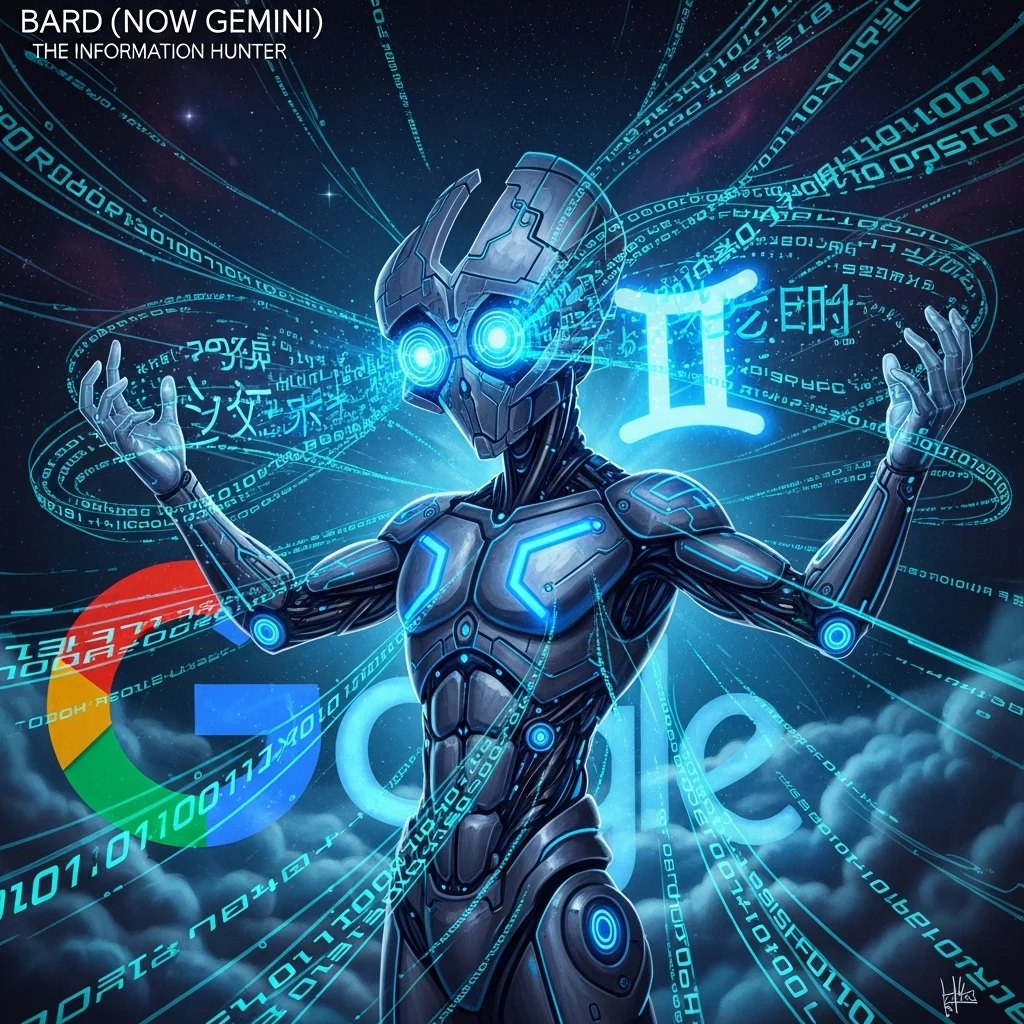
    Google has recently rebranded Bard to Gemini and I still refer to it as the former. It is differentiated by real-time internet access. Gemini drew new information when I required up-to-date information on a developing news story, whereas ChatGPT had no information because its knowledge base is dated.

    It also integrates well with the ecosystem of Google. I tried its compatibility with Google Docs and Sheets and Gmail, and the workflow was familiar. This eliminates friction in a person who is already integrated in Google Workspace.

    However, this is the catch herein, responses given by Gemini appear to be disjointed. I request that it assists in the process of planning a two-week itinerary of Japan, and although ChatGPT created a consistent day-by-day schedule, Gemini delivered bits of good ideas that needed to be restructured considerably. It is good at searching information but at times has difficulties with synthesis.

    Image generation feature (where present) is by chance. I ordered a few graphics to a presentation and the outcomes were absolutely unpredictable in their quality and relevance.

    Copilot by Microsoft: The Productivity Partner.

    Microsoft conducted AI in its entire ecosystem, and Copilot is their consumer-facing initiative. It provides a middle ground being based on GPT-4 technology but with the customizations of Microsoft.

    I have been using Copilot especially in Microsoft 365 applications. Trying it in Word, it allowed me to create a messy draft presentable within a shorter period of time than I would have done otherwise. It was written in plain English, which described complicated formulas in Excel, which I would have liked to have when starting my early career in financial analysis.

    The free plan also provides you with limited access to GPT-4, which is generous relative to ChatGPT that charges the same technology. Nonetheless, the experience of the conversation is more limited. It has a turn limit that ends the conversations in time when they are beginning to be fruitful.

    Copilot can also be used to access the internet and create images with the integration of DALL-E. I used it to hastily make mockups and as a form of visual brainstorming, but it is not as good as a dedicated design tool.

    Which One Should You Use?

    I have tried many options after trying many chatbots, I have concluded that there is no single best ChatGPT alternative, it all depends on your need.

    Claude always impresses me with his insight and subtle writing and analysis. It is my preferable option when I am writing anything that demands a lot of thinking or when it involves ethical considerations.

    To conduct the prompt research based on up-to-date

    information, I resort to Perplexity or Gemini, based on the extent to which I am to verify the source. Gemini operates on general enquiries; Perplexity on anything I may mention or form decisions about.

    In productivity tasks in the Microsoft ecosystem, Copilot has a case to make, particularly when you are already paying to use Microsoft 365.

    The plain fact is that now, I use at least three or four of them on a regular basis depending on the reasons. I have ceased searching a single AI assistant to conquer it all and instead created a small toolkit with all platforms playing to their strengths.

    A Word of Caution

    All these tools are not inerrant. I have found factual inaccuracies, clumsy sentences, and logical fallacies in all media. You still have to provide critical thinking. They are assistants and not substitutes of expertise and judgment.

    Another factor is privacy. I do not store any of my business or personal sensitive information in any of these systems. Services conditions vary, and in most cases, both presuppose that whatever you type may be used as a part of training or may be checked by the human moderators.

    Even the scenery evolves very quickly. What I today call a limitation may be resolved next month or a new entrant with a game-changing feature could appear. Being interested and ready to get experimented is more advantageous to you than being loyal to one platform.

    FAQs

    Are ChatGPT alternatives free?
    A majority of them have free versions where their usage, features, or model access are limited. Both Claude and Gemini as well as Perplexity have free versions that are functional, but the premium features are subscriber-only.

    What is the best alternative to code assistance?
    Claude is good with code particularly in explanation and debugging. GitHub Copilot (not to be confused with Microsoft Copilot) is still designed with a programming purpose.

    Do these alternatives have access to the internet?
    Gemini, Perplexity and Microsoft Copilot are internet capable. The standard versions of Claude and ChatGPT do not, but the ChatGPT Plus does have browsing capabilities.

    Are there any other alternatives that can be offline?
    No, these cloud-based services are connected to the internet. Certain open-source models may be operated in the local context, but it is another category altogether.

    Which makes the most sense in the case of factual information?
    Perplexity works well in this case since it refers to sources that can be checked. Verifying the important information is always necessary irrespective of the tool.

  • AI Copywriting Tools Comparison: A Hands-On Look at What Actually Works

    AI Copywriting Tools Comparison: A Hands-On Look at What Actually Works

    AI Copywriting Tools Comparison, I have been employed as a professional writer more than 10 years, and when AI copywriting tools began to emerge several years ago, I must be honest and say that I was unconvinced by them. Would they replace writers? Did they simply blow out of proportion the autocomplete functionality? Having spent innumerable hours experimenting with different platforms to do client work and personal ventures, I have formed very strong opinions regarding what they can and cannot do.

    I would like to guide you on my personal experience with the most popular AI copywriting tools, what I have learned about each of them, and under which circumstances each one will be suitable.

    The Major players that I really have used.

    I have mainly tested Jasper, Copysonic, Rytr and the younger Anyword. All of them promise a revolution in the content creation, but all of them deal with copywriting in their distinct ways.

    My initial engagement with AI copywriting was Jasper (previously Jarvis). I applied it widely to the email campaign of one of my clients last spring. The thing that struck me was the quality of long-form content. Jasper was more consistent than its competitors when I required an introduction to blogs or product descriptions that did not sound entirely robotic. The feature of the Boss Mode was really useful when I was sitting before a blank screen at 11 PM but had a deadline to meet.

    The price however, which is starting at roughly 49 a month and rapidly increasing, makes it only justified when you are actually creating content on a regular basis. It is costly to subscribe to as a person who is an occasional writer.

    Copy.human was my go to source when writing shorter articles and brainstorming. I recall its application especially during the rebranding of a small e-commerce company. We had to have dozens of product descriptions, and we have done this surprisingly smoothly using the special templates of the Copy.ai. The free option is really helpful, which I like it is not a preview that makes you spend money on upgrading at the moment.

    The weak point of the Copy.ai is consistency when it comes to longer works. I have observed that it repeats itself or loses track when it comes to producing content beyond several hundred words. It is also exceptionally effective when it comes to posting something brief or variant headlines on social media.

    Where It Really Counts on Performance.

    In making the compare and contrast of these tools, I have been able to come up with a mental image of the actual deliverables, rather than marketing assertions.

    The trade-off is always one between speed and quality. I found Writesonic efficient because it could create content incredibly quickly I once managed to write 15 blog outline in approximately twenty minutes with the help of Writesonic. But speed came at a cost. The time that I saved in first draft was by far outweighed by the time wasted in revising clumsy wording or matters whose factual status I was not confident about.

    Rytr occupies a curious mediocre position. It costs less than Jasper but is more coherent on the long form than in copy.ai in my case. I took it as a three months contract to write website copy to local businesses and the ratio between cost and output was suitable to the budget at hand. It contained much human supervision, but supplied well-founded drafts.

    The issue of template variety is as important as I had thought. I found the method of Anyword which pays much attention to optimization of data-driven copies and predicts conversion attractive to my analytical nature. In identifying the variations of the landing pages to work on with a SaaS client, the predictive scoring offered by Anyword was used to determine which headline variations would work better. Was it an accurate foreboding of conversion rates? No. Nevertheless, it offered practical guidance that influenced A/B testing.

    The Untruths Everybody Is Uncomfortable With.

    What most comparison articles can not tell you is this: such tools commit confident sounding errors frequently.

    I happened to hear Jasper proudly provide wrong statistics in an article dealing with health. Copy.ai came up with a product description that contradicted itself in three sentences. Writesonic has developed what appeared to be actual historical materials, which on research was all fake.

    It is not an imperfection of a particular platform, but it is a part of the functionality of these systems. They are not tapping into good databases, they are guessing what words are likely to come up. All of my AI-generated work necessitated fact-checking of every piece of content. No exceptions.

    Sometimes I am disturbed by the ethical aspect of it. Where do I draw the line when I provide client work that began as a text created by AI and was then greatly edited and reworked? I have determined complete openness to the clients regarding my process but highlighting that the actual valuable aspects, which are the strategic thinking, the adaptation of the brand voice, and the verification of the accuracy, are all human.

    Correlating Tools with Actual cases.

    The templates of the copy.ai actually save time in case of e-commerce product descriptions on a large scale. I am able to come up with twenty variants, select three best of them, polish them and yet manage to work at a faster pace than writing by hand.

    These tools have become less useful when addressing thought leadership articles or industry analysis. They are geniuses in synthesizing what has been previously thought but they have a hard time with a creative thought. That comparison of industry trends blog entry? It entailed human investigation, interviews and analysis. The AI assisted with refining phrasing, but was unable to give the content.

    Email marketing campaigns are quite effective with Jasper or Anyword, especially with the articulated brand voice and good input. I have developed full drip sequences where AI did the first draft and when I edited it, the open rates were the same or even higher than my completely handwritten campaigns.

    Copy.ai or Rytr are beneficial to the social media content on the platforms. The smaller size required and the smaller format are their strengths. I can write a month of posts within an afternoon in a batch, and then have the chance to look over them and tailor them to particular needs over a number of days.

    FAQs

    Do AI copywriting tools justify the price?
    Depends on your volume. When you are producing content on a regular basis (daily or weekly), it will save enough time to be worth the subscription fee. Free tiers should be offered to occasional users.

    Is it possible that AI writing software can substitute human authors?
    No. They create a rough which needs to be greatly edited, checked on facts, and strategically managed. They are assistants and not a replacement.

    What is the most accurate AI copywriting tool?
    None of them is necessarily accurate, but they all produce a text that sounds plausible and therefore needs to be confirmed. The platform is less important than the input and editing in quality.

    Are AI-generated content successful in search engines?
    The search engines are concerned with quality and usefulness, they are not concerned with the means of creation. Properly edited and valuable AI-assisted content is okay; low-effort AI content is not.

    Should AI copywriting tools be considered ethical?
    Transparency matters. Having them as drafting assistants but still keeping human eyes on them is a common thing. Some of the AI content that has not been edited may be passed off as being entirely human-written, which is misleading to most professionals.

  • AI Content Generator Review: What Actually Works and What Falls Short

    AI Content Generator Review: What Actually Works and What Falls Short

    AI Content Generator Review, I have used AI writing tools in the last two years, and the situation has altered significantly. Curiosity about automated content creation became hours and hours of experimentation with various platforms and critique of their results and the comparison with human-written work. This is the review based on such practical experience, the positive, the bad, and all the things in-between.

    The Promise vs. The Reality

    At the time the first of these tools acquired widespread notice, the marketing was billed as being revolutionary in terms of efficiency. “Write blog posts in minutes!” Ever again, never have writer block. Some of those arguments are not ungrounded. The rest are at worst exaggerated.

    The real case lies between the two. It is quite true that modern AI content generators can speed up some writing tasks. Their first-draft writing, brainstorming and variation, and copy and paste formats are the best. Their floundering points are nuance, checking of facts, brand voice.

    What I’ve Actually Tested

    I have tested the larger services, such as Jasper, Copy.ai, Writesonic, among others, as well as lesser-known ones. I gave them the same prompts, compared results, timed editing time and monitored the results of their content with real readers and search frequency.

    Tools are of good quality difference. Others create well-structured, editable drafts, which require average editing. Some of them create technically sound content that is absolutely unmemorable- the written version of a grey wallpaper.

    Where These Tools Shine

    • Speed in Standard Formats: The product descriptions, email subject lines, social media posts, and these generators can be astonishingly good at formulaic content. One of my clients once required 50 product descriptions to use in an e-commerce. An AI tool and painstaking editing took three hours, what would otherwise have taken me two days.
    • Overcoming Blank Page Syndrome: You open up a document and you can see everything but the cursor is not moving, these tools provide a point of departure. Even in the event of 80 percent rewritten output.
    • Content Variations: It becomes quicker to test out various headline variations or email variations. Write ten versions, select two most promising ones, create them on your own.

    Where They Have always Failed.

    • Factual Accuracy: The biggest problem is this. I have encountered AI-generators that boast about false statistics, confuse the dates, and give quotes to the wrong individuals. There was a tool that alleged that a historical event occurred five years prior to its occurrence. It cannot be trusted that these systems should be trusted with facts.
    • Diversity and Richness: The material tends to be superficial as it is. Such tools reassemble patterns of information that already exists, without being able to reach lived experience or even do original research. A business article on opening a bakery will discuss the most obvious issues, such as business plans, equipment, licensing, but will overlook the coarse aspects of the topic, which can only be gained by operating in that specific sector.
    • SEO Insight: Although there are arguments of SEO-optimized content, most content generators create key word crammed and stilted content. SEO writing is an art that incorporates keywords in a natural manner and puts the reader value first.

    The Editing Tax

    The time taken in editing is one of the things that is hardly ever talked about. A bad AI content may help you save 20 percent on the drafting effort but will cost you as much in revision. In my experience, the most effective application that I have discovered is to create a sketchy outline and recreate it substantially using your own knowledge and examples and with your own voice.

    I monitored the time spent in editing 30 articles. Depending on the complexity and quality requirements of the topic, AI-written drafts took 30-150% of the time that would have been spent actually writing that same information. The simple listicles were oriented on the low end. Expert pieces not in thought leadership? The higher end.

    Ethical Considerations No One According to.

    The application of AI content generators is bringing about concerns that we are yet to resolve as a society. Is publication of AI generated content without disclosure ethical? But what of academic or journalistic work? Does that matter whether you highly edit it?

    I lean toward transparency. It is also important to the reader to be aware of what they are reading, particularly when trust is involved. With such commercial content as product descriptions, it is not as important. Health advice or financial advice? That is where the sound of alarm should be heard.

    It is also the gray area of plagiarism. These tools do not replicate text per se, but they are trained on the preexisting texts. The results might be implied by the existing published work in format and word choice, although not necessarily the same.

    Cost vs. Value

    The cost is between 30-100 dollars or more per month. The question of whether that is useful to you or not is open to your case. When you are making large volumes of simple contents, you will save much time and it will be worth the money. Probably not, in the case of the occasional use or specialized writing.

    I estimated my real savings related to one of the projects: $79 monthly subscription, about 12 hours saved, yet, 6 hours spent editing that would otherwise not be needed. Net savings: 6 hours. At my hourly rate, not much at the moment of that particular project.

    My Honest Recommendation

    Such tools are assistants and not substitutes. Use them to:

    • Develop summaries and organize thoughts.
    • Develop rough drafts on simple things.
    • Generate variations in production.
    • Process high volume, formulaic material.

    Don’t rely on them for:

    • Facts that need verification without any accuracy.
    • Expertise and experience is important in content.
    • Written in a unique, original voice.

    Areas in which novelty and new view are the thing.

    At the same time, when you are ready to give it a try, begin with a free trial or the basic plan. Try it out using your exact content requirements and then make a decision on whether to commit to high prices. And always, anything that is created by AI, do not republish it without reading, verifying and editing it significantly.

    The technology will improve. However, at this moment, in 2024, these generators can be useful on some tasks, but it is not magic wands to all your content needs. Establish achievable expectations, leverage them and uphold editorial standards. That is the moderate way that I have found as effective.

    FAQs

    Will AI writers substitute human writers?
    Not because of good material that needs professional skills, research, or original voice. They are good helpers but not very judgmental and creative.

    Are artificial intelligent content generated by search engines punished?
    Google says that they are content-based and not creation-based. Poor AI content might be detrimental to the rankings, and typical well-edited high-value content usually works out well.

    To what extent is AI content editing required?
    It is all over the place–30 per cent light polish to total rewrites. More intervention is normally needed in complex subjects and expert knowledge.

    Are AI content creators worth the price?
    Yes, when the content is high-volume, and is relatively easy. Probably not, when it comes to occasional specialized writing. Divide your time saved divided by subscription costs.

    There is a question of whether it is ethical to use AI content generators or not.
    Context matters. Transparency is also beneficial particularly to content where trust is a factor. As much as that, heavy editing and fact-checking are ethical minimums.