Constructing a site previously required you to pay a developer, weeks of back and forth emails and empty your wallet before you could even have a single page up. The world like that is a far-off memory. Website builder tools have made it literally possible today to enable a freelancer, a small bakery owner or even a nonprofit coordinator to create something that appears professional in the course of a weekend- in some cases a few hours.
However, the thing is that this is not always the case, and the incorrect option may cost you more time and money than employing that developer would have cost you. I have been testing, working with, and consulting clients on these platforms over the years and therefore I would like to unravel what really matters.
What is a Good Website Builder?
It would be worthwhile to know what makes a tool truly valuable before immersing oneself in the particular platforms because it may appear pretty in a video demonstration.
My essential requirements are convenience, without compromising the flexibility, quality of templates, e-commerce options in case needed, search engine controls, speed of loading, customer support, and pricing visibility. The latter is the most important than it might seem to you – various popular builders attract you with a free plan and then put the needed features behind paywalls which are easy to add to your wallet quickly.
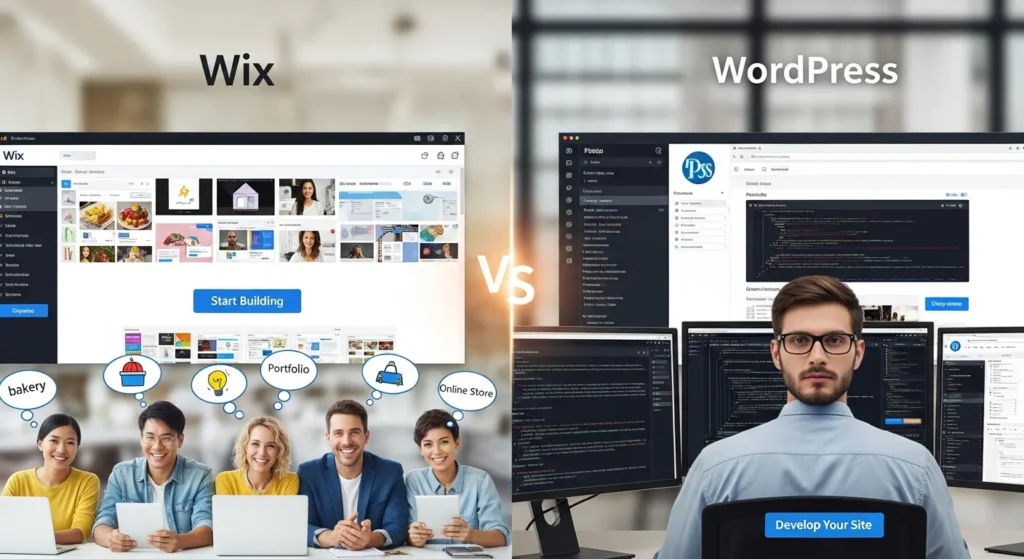
Wix: The Creative’s Playground
The name Wix is likely to be the most recognizable in this category, and, frankly, it has earned its fame. Drag-and-drop editor is truly among the most user-friendly. At any point of the page you can add any element, make it as large or as small as you want, and create a design that looks just like you imagined it, without writing a line of code.
Wix is particularly beneficial to the creative professionals. Photographers, designers, musicians and artists are likely to adore it as the freedom of visuality is unparalleled. There are more than 800 choices in categories in the template library, and most of them appear well-finished out-of-the-box.
With that being said, Wix is limited in reality. When you select one of the templates, it is impossible to change to another one, you have to start anew, with your content not transferred. This is a weird design choice that irritates several users halfway through the project. There are also some enhancements to the SEO tools, which are much better than a few years ago, yet Wix websites still may fall behind on performance indicators when you load it with apps out of their marketplace.
Squarespace: Style Meets Substance.

When Wix is the virtual playground of the creative, Squarespace is the design studio of the designer. The templates at these sites are truly gorgeous and beautiful in terms of clean layouts, considerate type and visual coherence that makes amateur sites appear to have been created by an agency. It is a platform where good design choices are being forced, an asset and a drawback of this tool.
Compared to Wix, Squarespace offers less flexibility in the form of the free form, but the structure provided is normally more attractive. In the case of service based companies, restaurants, photographers or any one who needs to appear premium without employing a brand designer, it provides.
The included blogging and e-commerce applications are good. Not the most sophisticated on the market, but sufficient enough to sell a few dozen products or have regular content. Their analytics dashboard is un-cluttered and comprehensible even by non-technical users.
One of the frustrations: Squarespace had previously had a great customer service. Recently it has been slower, and lots of users are resorting to community forums and not live help. There is no free plan also – only a 14 days trial.
Shopify: E-Commerce expert.
When you are creating a store – a brick and mortar one, with inventory control, a variety of payment gateways, shipping systems, and scalabilities – you are playing a different game with Shopify. It is not actually a web site builder. It is an e-commerce site which also allows you to create pages.
Shopify makes its name on its backend. It is easy to manage the products, orders, returns, connect to Amazon or Instagram stores, carry out discounts, and so on. The size of the app ecosystem is huge, and this indicates that you can expand the platform to virtually do anything.
Cost is the negative aspect. The monthly plan, transaction fees when you are not using Shopify Payments, and the apps that you are likely to require can make your own Shopify store cost you several hundred dollars a month when you are out of the startup phase.
WordPress.com vs WordPress.org: A critical difference.
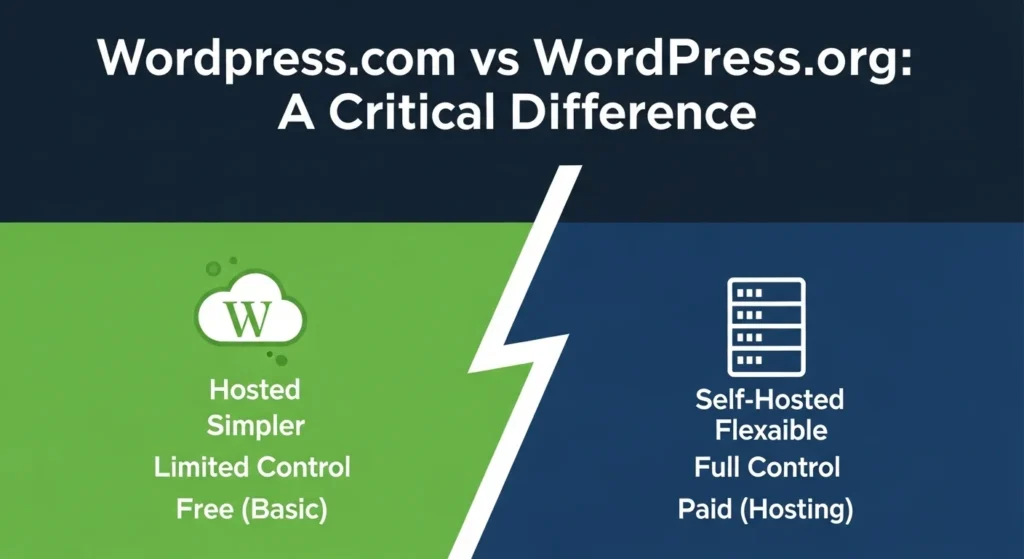
WordPress is worth a special mention since here there are in fact two very different experiences. WordPress.com is a hosted developer – simple to begin with, restricted on the free plan, and rather restrictive on customization. WordPress.org is the open source and self-hosted version in which you download WordPress and place it on your hosting and have complete control.
WordPress.org (combined with a host such as SiteGround or Cloudways) is highly potent to a user who desires to own his or her site completely, have access to custom components, and no limitations imposed by the platform. It is the platform that operates about 43% of the whole internet, after all. However, the learning curve is more acute, and you are to update, back up and secure.
The Honest Verdict
No one best web building site. The only thing that is important is to align the tool with your real objectives.
In need of something pretty and quick? Squarespace. Looking to have complete design freedom and little learning curve? Wix. Running a store? Shopify. Thinking long-term and big, with everything in control? Self-hosted WordPress.
It is an easy way to fall into the trap and select a platform because someone on YouTube showed that it is easy. There are no smooth edges of any platform. The one which you can live with is the right one, the one whose edges are rough.
FAQs
Q Which is the easiest website builder?
The easiest to use is typically Wix because of its drag-and-drop editor and versatile templates.
Q: Is it possible to create a free web site?
Yes, there is a free option at Wix, but it has branding of the platform and restricted options. To achieve professional results, a paid plan would be suggested.
Q: Is Shopify easy to use?
Shopify is simple to use by e-commerce novices, but is excessive when not selling products.
Q: What is the most appropriate builder when it comes to SEO?
The most control of SEO is offered by WordPress.org. Wix and Squarespace have been enhanced but still have their limitations.
Q: Are these platforms coded?
No. Each of the platforms listed here are user friendly to non-coders, although understanding of basic HTML/CSS is useful in customizing them.
Leave a Reply